

Guide
What is AI camera monitoring? A plain-language guide
How AI camera monitoring works, what it can and cannot detect, what it needs from your existing cameras, and how to judge whether it is right for your sites — without the jargon.
By VisraxPublished 7 Oct 20268 min read
01
A one-paragraph definition
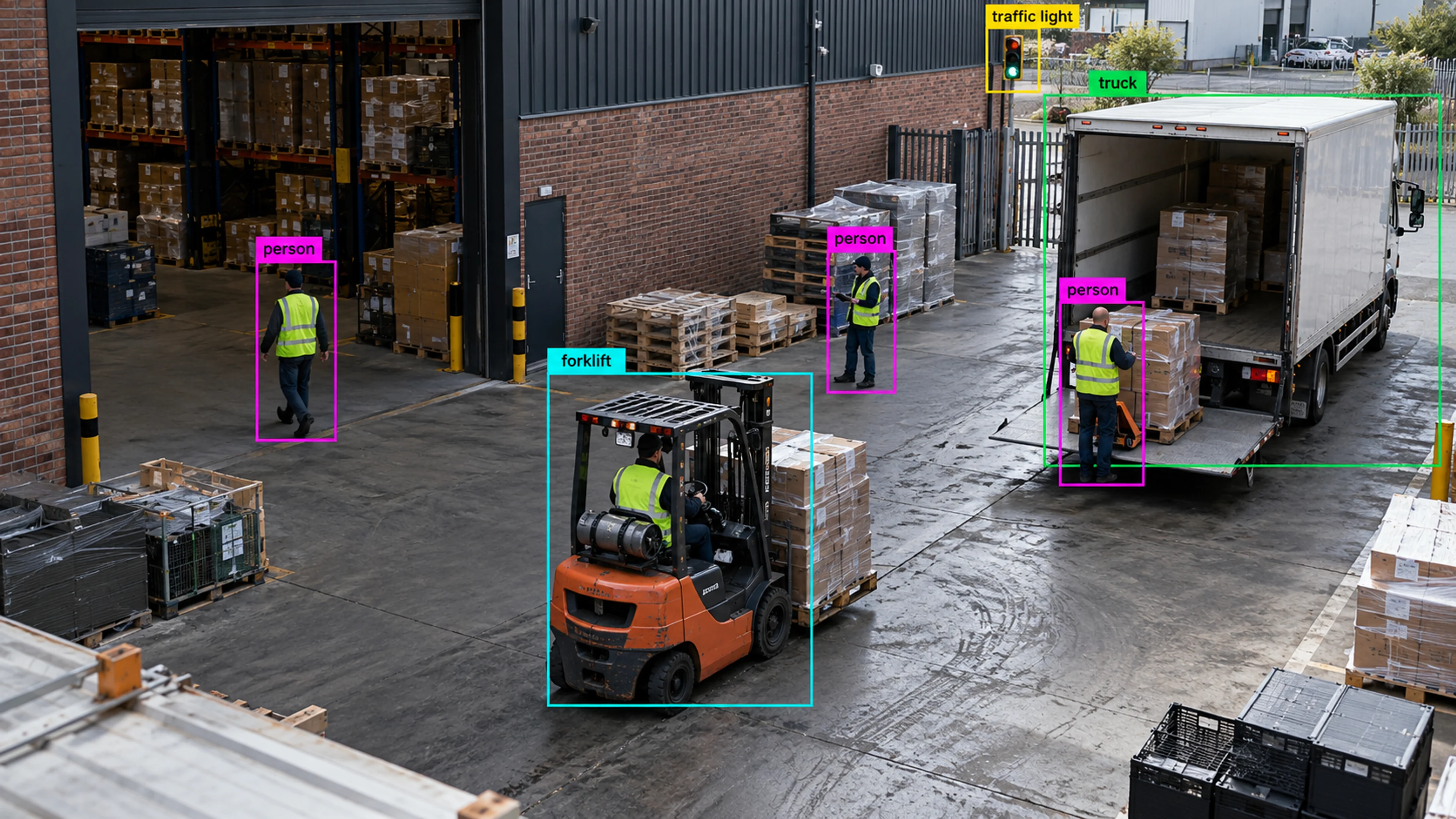
AI camera monitoring is software that watches camera feeds continuously, recognises objects such as people, vehicles and equipment, and raises an alert when a situation you have defined occurs — someone inside a restricted zone, a queue past a threshold, movement after closing, a forklift too close to a walkway. It replaces the idea that a person should be watching screens with the idea that the system should find the moments that matter and bring them, with evidence, to the right team.
The same technology also measures things: how many people crossed an entrance, how long a queue was, how occupied a floor is by hour, how long vehicles waited at a gate. Those counts become the analytics side of the product.
02
How it works, step by step
The pipeline is simpler than the marketing around it suggests. Four layers sit on top of an ordinary camera stream.
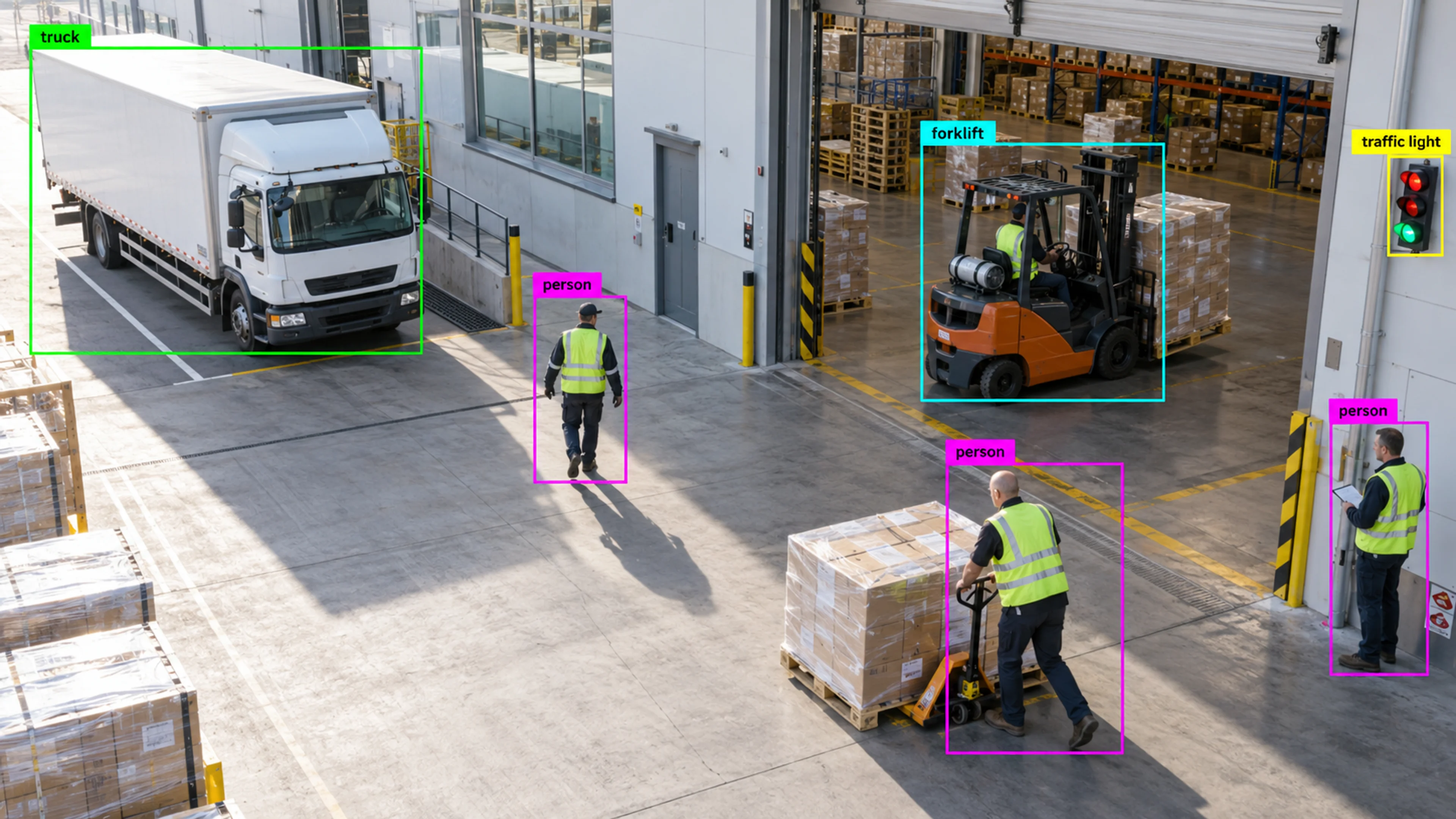
- Detection: a model looks at each frame and identifies objects by class — person, car, truck, forklift, helmet, vest.
- Tracking: the same object is followed from frame to frame, which gives direction, speed, dwell time and a path.
- Zones and schedules: you draw the areas and lines that matter on the camera view and say when they apply.
- Rules and alerts: a rule combines the layers — a person inside the exclusion zone for more than ten seconds during a shift — and produces an alert with a severity, the triggering frame, a clip and the path.
03
What it needs from your existing cameras
Almost always, nothing new. The software connects to cameras that expose a standard IP stream — RTSP, with ONVIF for discovery — which covers most IP cameras installed in the last decade. Older analogue cameras can be included through an encoder or a recorder that exposes per-channel streams. Nothing is installed on the cameras themselves.
What does matter is the view. A camera that shows the zone you care about in the middle two-thirds of the frame, with the subject at a sensible size and without heavy backlight, will perform well. A camera pointed at a whole yard from a rooftop will count vehicles but may not reliably see a missing helmet. Good vendors review every camera that will carry a rule before anything goes live.
04
What it is not
AI camera monitoring in the sense used here is not facial recognition and not identity tracking. It works with object classes, zones and behaviour: it can tell you a person entered a restricted room at 02:14, not who that person was. That distinction matters for privacy obligations, for works-council and union conversations, and for how comfortable your own staff are with the system.
It is also not a replacement for certified safety systems. A visual smoke indicator is an early warning that complements fire detection; it does not replace it. The same goes for access control, intrusion alarms and machine guarding.
05
Where it earns its keep
The strongest cases share a pattern: a situation that is costly or dangerous, that happens in a defined place, and that nobody can watch for continuously.
- Safety: machine exclusion zones, forklift–pedestrian crossings, PPE at entry points, hazardous areas on construction and energy sites.
- Security: after-hours movement, perimeter approaches, restricted rooms, unattended objects — reviewed from alerts instead of hours of footage.
- Operations: queue and occupancy thresholds in retail and healthcare, dock and gate throughput in logistics, floor utilisation in offices.
- Multi-site estates: one hierarchy of regions, sites and cameras, with alerts, camera health and reporting rolling up so a small central team can run many locations.
06
How to evaluate a system
Demos tend to focus on detection boxes. The questions that predict whether a deployment will still be used in a year are mostly about what happens after the alert.
Ask whether evidence is attached automatically or has to be found in the archive. Ask whether an alert becomes an incident with an owner, a status and a history, or just a notification. Ask how rules are scheduled and tuned, and whether closed incidents feed back into tuning. Ask where video is processed and who can see it. And ask to see the system configured on footage from your own cameras, not a showreel — a credible vendor will insist on it.
07
Getting started without a big project
The deployments that work begin small: a walkthrough of one site, four to six zones chosen for obvious risk or cost, rules configured from existing footage and run in review mode for a week with the supervisors who will receive them. Only rules those supervisors trust go live. From there, proven rules are copied to similar lines and sites, and the reporting shows whether the behaviour you wanted to change has changed.
If you want to see how that looks on your cameras, the demo request on this site is configured around your own locations and situations rather than a generic script.